If you carry an iPhone 18 Pro on the trail, you already own a very capable nature camera. Most of what separates a forgettable snapshot from a photo you would hang on a wall comes down to when you shoot, how you frame the scene, and a handful of controls you can learn in an afternoon. These iPhone 18 Pro nature photography tips cover the habits that matter most outdoors: trails, lakes, wildlife and close-ups, all with the phone in your pocket and no extra gear.
One note before we start. Menus and lens details change between phone models and iOS versions, so this guide describes how the Camera app works in general and tells you where to check your own phone. If a setting is not where I say it is, search for it in Settings > Camera.
Start With the Light, Not the Settings
Light decides more about a nature photo than any button does. A great scene in flat, harsh midday sun usually looks worse on screen than an ordinary scene in soft morning light, so it pays to think about the time of day before you think about the camera.
The two best windows are the first hour or so after sunrise and the last hour or so before sunset. The sun sits low, the light is warm and angled, and shadows are long and gentle instead of black and sharp. Trees get texture, water picks up color, and a bird’s feathers show detail you would miss at noon.
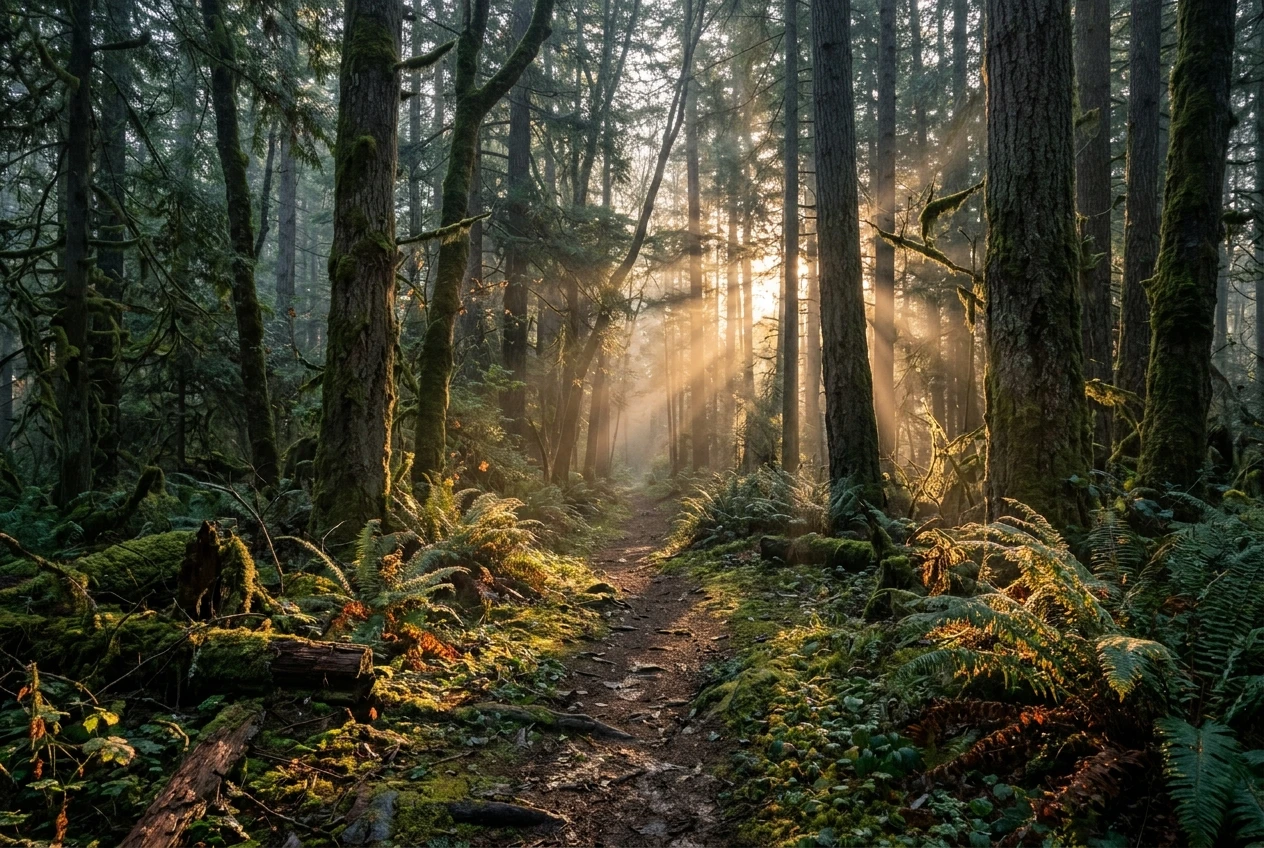
Overcast days are better than they sound. Clouds act as a giant diffuser, which is ideal for forest scenes, wet leaves, fall color and close-ups of flowers. Colors look rich and you avoid the bright patches and dark patches that confuse a camera. The sky itself looks dull and white, so keep it out of the frame or give it only a thin strip at the top.
Midday sun is the hardest to work with, but you can still get good shots if you adapt:
- Shoot in open shade, such as under a tree canopy or beside a rock face, where the light is even.
- Look for subjects lit from behind. A leaf with the sun behind it glows, and the veins show clearly.
- Point the camera down at the ground, a creek or a patch of moss, where the contrast is lower than it is in the sky.
Direction matters too. With the sun behind you, colors look bright but the scene can look flat. With the sun to one side, you get shape and depth. With the sun in front of you, you get glow, silhouettes and flare, which is great for mood and tricky for exposure. Walk around your subject before you shoot, because moving ten steps often changes the light more than any setting could.
Finally, wipe the lens. A phone lives in pockets, bags and sweaty hands, and a fingerprint smear causes a hazy, low-contrast look that people often blame on the light. A soft cloth, or the inside of a clean shirt, fixes it in five seconds. If you move from a warm car into cold air by the lake, the lens can fog up, so give it a minute to clear.
Know Your Lenses Before You Hit the Trail
Your phone has more than one rear lens, and each one sees the world differently. Open the Camera app and look at the row of buttons near the shutter. Those numbers tell you how wide or how tight each lens is compared with the main one.
I won’t list the lens names or specs for your phone, because they vary by model and it is easy to get them wrong. Check them yourself in two places: tap through the lens buttons and watch how the view changes, and look up your exact model on Apple’s tech specs page. Five minutes with both before a hike gives you a clear idea of what each lens is good for.
In general, the lenses fall into three jobs:
- The widest lens takes in big scenes like a valley, a waterfall, a lake shoreline or a trail disappearing into trees. It also exaggerates distance, so a faraway subject looks tiny. Put something interesting close to the camera, such as a rock, a log or a patch of wildflowers, so the photo has a clear foreground.
- The main lens is the best all-rounder and usually your sharpest, especially in low light. If you are unsure which to use, start here.
- The longest lens pulls distant subjects closer, which helps with birds, deer across a field or details high in a tree.
Treat the in-between zoom levels with some caution. Pinching to zoom past what a physical lens delivers is digital zoom, which crops the image and usually softens the detail. For a photo you might print, it is almost always better to use the closest real lens and walk closer, or to shoot a little wider and crop later. Your Camera app and the specs page for your model will show you where the real lenses end.
Turn on the grid while you are in there. In Settings > Camera, switch on Grid, and the screen shows a set of lines that help you keep horizons level and place your subject off center. A crooked lake horizon is one of the most common reasons a nice photo feels off, and it is easy to prevent.
Also check Settings > Camera > Formats, which lists the photo formats your phone offers. Higher-quality options keep more detail and give you more room to edit and crop, at the cost of larger files. If you think a shot might become a print, the higher-quality option is the one to use.
Tap, Hold and Slide: Exposure and Focus Controls That Save a Shot
Three simple touches handle most of the problems you will meet outdoors.
Tap the screen on your subject. The phone sets focus there and adjusts exposure for that spot. On a bird, a flower or a face, a single tap is often enough to turn a soft shot into a sharp one.
Hold your finger on the screen until you see AE/AF Lock appear. The phone now keeps that focus and exposure even if you move the camera slightly or the scene changes. This is useful when you have framed a shot, then a cloud passes or a branch sways, and you do not want the camera hunting around.
Slide your finger up or down after tapping. A small sun icon appears beside the focus box, and dragging it changes brightness. Slide down to darken the image and slide up to brighten it. You can make this adjustment before taking the shot and see the result live.
Here is when each one helps:
- Bright sky over a dark landscape: Tap on the sky, or slide down a little, to keep clouds and sunset colors from turning white. You can brighten the shadows later, but pure white areas hold no detail to recover.
- Subject in shadow with a bright background: Tap on the subject and the camera brightens it. The background may wash out, so slide down slightly until you like the balance.
- Backlit leaves: Tap on the leaf itself so the phone exposes for its glow rather than the dark forest behind it.
- Moving subjects: Lock focus on a spot where you expect the subject to appear, then wait for it. A walking deer, a bird heading for a favorite perch or a dog running along a trail often follows a predictable path.
Burst mode helps with anything in motion. In recent versions of iOS you can slide the shutter button to the left and hold it to fire a series of frames, and you can also assign the Volume Up button to burst in Settings > Camera. Afterward, scroll through the burst in Photos and keep the sharpest frame. Taking twenty shots to get one good wing position is normal, and it costs nothing.
Live Photos record a moment of motion around each shot. They are useful for catching a bird just before it takes off, because you can often choose a different key frame afterward. Check how Live Photos work on your version of iOS, since the editing options can shift.
Shooting Wildlife Without Spooking It
Animals leave when they feel watched or approached, so the best wildlife technique is a calm one. A phone is a short-range camera, which makes patience matter even more than it does for people with long lenses.
Start with distance. Do not walk toward an animal to get a bigger shot. Stop when it first notices you, or sooner, and let it return to what it was doing. If it stops feeding, stares at you, or starts moving away, you are too close. Back off a few steps and wait. Staying put is also safer for you, particularly around large animals, nesting birds or anything with young.
A few habits make a real difference:
- Turn the flash off. It startles animals and ruins natural light.
- Move slowly and keep your arms close to your body. Sudden gestures read as a threat.
- Approach at an angle rather than head-on, and stay low if you can.
- Frame and focus before you raise the phone to eye level, or pre-set a lock on the area where the animal will be.
- Stay in one place and let the subject come to you, since many animals settle quickly when you stop moving.
- Keep your voice low and your movements predictable.
For practice, find a subject that stays put. Herons are a good example, since they often stand motionless for long stretches while they watch the water. That gives you time to try different lens buttons, tap to focus, slide the exposure and experiment with framing. Henry, the blue heron featured on this site, is a good subject for exactly this kind of practice, and you can meet Henry here before heading out to find a heron of your own.
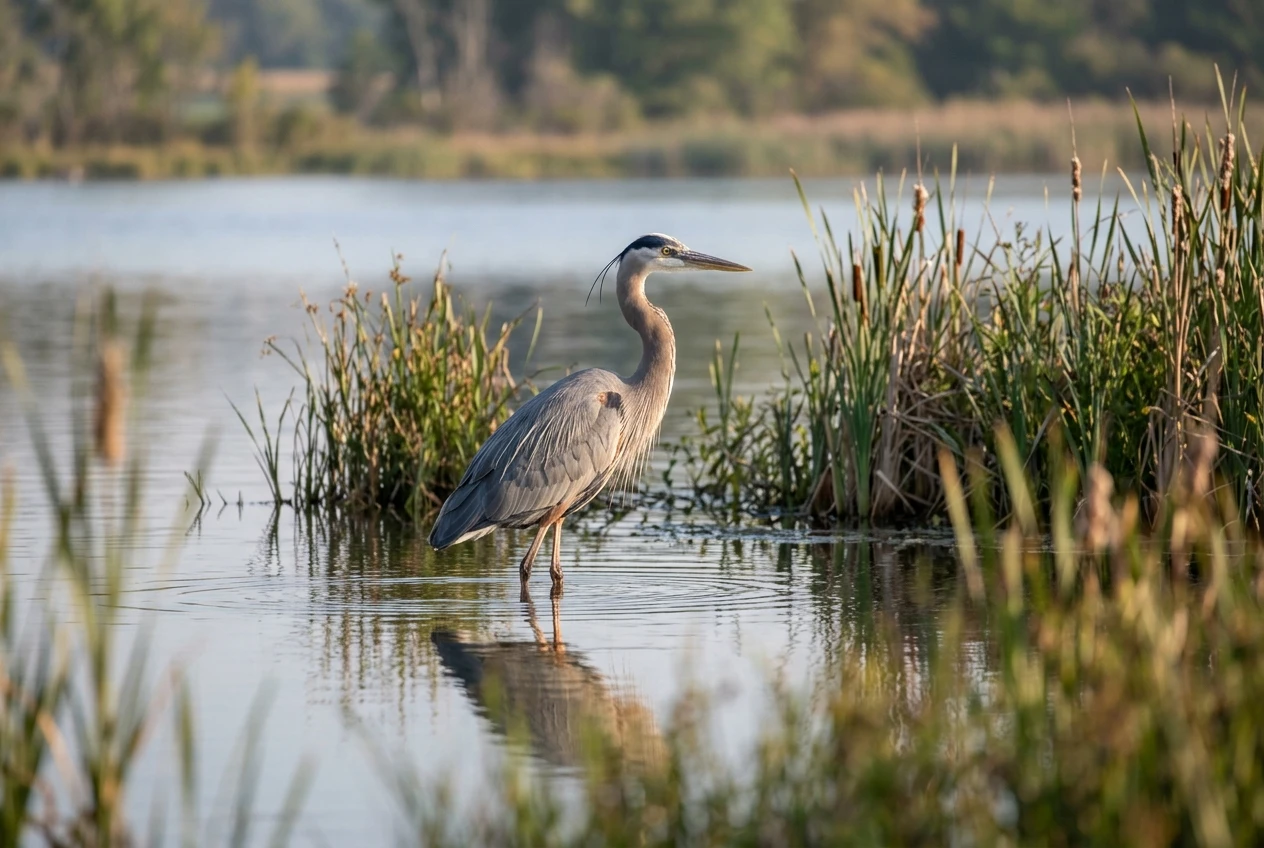
When you are shooting a bird, aim for the eye. If the eye is sharp, the photo usually works, even if the rest is a little soft. Tap directly on the eye, then wait for a moment when the head turns, or the bird shifts position. Leave breathing room in the direction the animal is looking to make the picture feel natural instead of cramped. And take a wide shot as well as a tight one. A bird in its habitat, with water, reeds, and sky around it, is often more memorable than a close portrait.

Misty Mornings, Water and Golden Hour: Getting the Mood Right
Water and soft light create some of the most striking nature photos, and they also cause some of the most common mistakes.
Mist and fog
Mist lowers contrast and softens everything, which is part of its appeal. The camera often reads that pale scene as too bright and darkens it, so the mist ends up looking gray. Tap a bright part of the scene and slide the exposure up slightly; the whites will feel airy again. Do not overdo it, because you want to keep some detail in the brightest areas.
Look for layers. A near tree, a middle tree line, and a far shoreline, each paler than the last, add depth. A single dark subject, such as a branch, a boat, a bird or a dock post, gives the eye somewhere to land. If you want to see how a misty lake scene looks in practice, check out the Lake Norwood misty morning page before you go out at sunrise.
Reflections and glare
Still water at dawn or dusk gives you mirror images, but only if you position yourself well. Get low and close to the surface, and the reflection will take up more of the frame. Keep the horizon level, and consider placing it in the middle of the picture when the reflection matches the scene above it. Wind ripples break the effect, so the calm period just after sunrise tends to work best.
On brighter days, glare on water can wash out the surface. Changing your angle by a step or two often removes it. Shoot slightly more to one side of the sun, or add something in the foreground to break up the shine.
Golden hour
When the sun is low, it makes warm color, but it also makes high contrast between lit and shaded areas. Use the tap-and-slide controls to protect bright areas, and check the screen for any part that has turned pure white. If the sun is in the frame, you may get flare or a hazy patch. Try hiding the sun partly behind a tree trunk or branch to keep the glow and reduce haze. Clean the lens first, since smudges make flare much worse.
After the sun drops below the horizon, stay a few more minutes. The sky often holds color for a while, and the light on the water becomes soft and even. Hold the phone steady, brace your elbows against your body or rest it on a railing, and take several frames, because low light increases the chance of blur.
Close-Ups of Leaves, Bugs and Bark Without the Blur
Close-up work is where blur happens most, and it usually comes down to one of three things: the phone is too close to focus, the subject is moving, or your hands are shaking.
Many recent iPhones can switch to a close-focus lens or mode automatically when you move near a subject, and some have a macro control in Settings > Camera. Because this differs by model, test yours at home. Move the phone slowly toward a leaf and see at what distance the picture goes sharp or the view jumps. That distance is your working range.
Once you know it, a few habits help:
- Stop short of the minimum distance. If the image turns soft, back up a little instead of getting closer, then crop later.
- Tap on the part you want sharp. At close range, only a thin slice of the scene is in focus, so choose the edge of a petal, the eye of an insect or a ridge of bark.
- Steady yourself. Hold the phone with both hands, tuck your elbows in, or rest your wrist on a rock, fence post or tree trunk.
- Watch the wind. Leaves and flowers sway constantly. Use burst mode and pick the sharpest frame, or shoot in the pauses between gusts.
- Mind your shadow. At close range, your body and phone can block the light. Turn so your shadow falls away from the subject.
For insects, patience works better than chasing. Pick a flower or sunny leaf where bugs tend to land, focus there, and wait. Move slowly, and avoid breathing on the subject or touching the plant. If an insect flies off, let it go and try the next one.
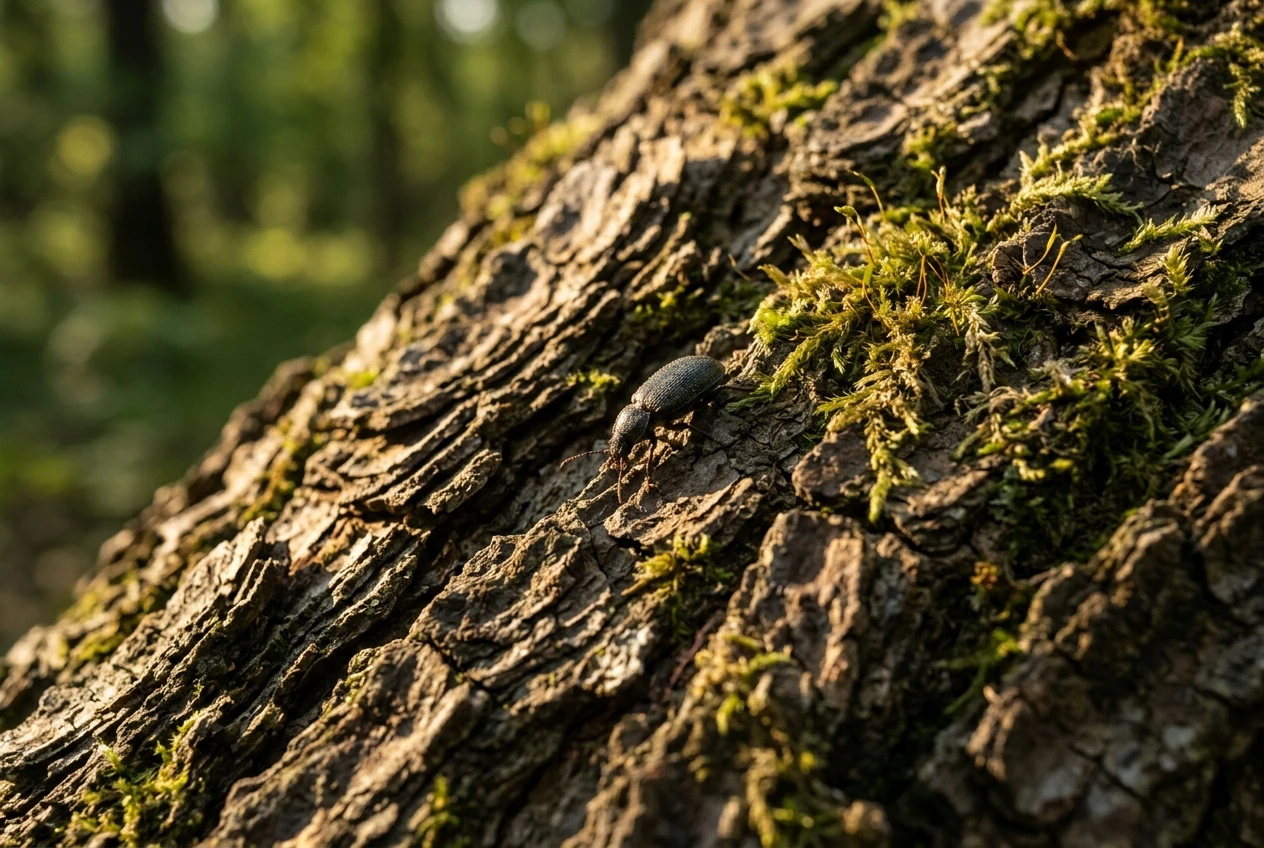
Bark, moss, and lichen are easy subjects because they stay still. Side light is key here: when the sun hits the surface at an angle, every ridge and crack casts a tiny shadow, making texture stand out. Overcast light works too, giving even color without harsh highlights. Textures like these also make good prints, since they look interesting up close on a wall.
Watch the background as well. A bright patch of sky or a stray twig behind your subject draws the eye away from it. Shift a step to the side, and the clutter often disappears.
Picking the Keepers: Editing Lightly and Choosing Photos Worth Printing
After a good outing you might have a hundred photos. The skill that turns those into something special is choosing, and then improving only a few.
Choosing
Go through your shots once quickly, then again slowly. Zoom in on each candidate and check that the key area is sharp. For wildlife, that means the eye. For landscapes, check the foreground and the horizon. Delete obvious duplicates, blurry frames, and anything with a distracting object you can’t crop out.
Then ask a few questions about each remaining photo:
- Does it have a clear subject, with something for the eye to settle on?
- Is the light interesting, rather than flat?
- Is the composition clean, with no stray branches or bright spots at the edges?
- Would you still want to look at it in a year?
Keep the ones that pass all four and let the rest go.
Editing lightly
The Photos app has what you need. Open a photo, tap Edit, and work in this order: straighten the horizon, crop if needed, then adjust exposure, highlights, and shadows. Pull highlights down slightly if the sky is too bright, and lift shadows if the foreground is dark. A small touch of contrast or warmth can help, but restraint matters. Heavily boosted saturation and sharpening look obvious, especially on a large print, where they exaggerate noise and make colors look unnatural.
Compare with the original by tapping the photo while editing. If the changes are hard to notice, you probably did it right.
Thinking about prints
Treat every shot as a possible print from the start. A few things help:
- Use the best quality your phone offers, and avoid heavy digital zoom, since printing magnifies softness.
- Leave room around your subject. Prints come in different shapes, and extra space lets you crop to fit.
- Check sharpness at full zoom. If it looks soft on your phone when enlarged, it will look soft on a wall.
- Look for a photo that works from a distance and up close, with a strong overall shape as well as small details.
The Morning Watch post on this site follows one photo from a quiet kayak moment to fine art, which is a useful look at how a single shot can end up on a wall.
Where Was Your Best Phone Photo?
Everything above comes down to a short list: watch the light, know your lenses, tap and slide to control focus and exposure, keep your distance from animals, protect the highlights over water, steady yourself for close-ups, and edit gently. The best way to improve is to get out often, take a lot of frames, and look critically at the results.
Now I would like to hear from you. Drop a comment naming the spot in town where you took your best phone photo, whether it was a trail, a lakeshore or a quiet corner of a park. Other readers will want to go and see it for themselves, and you may inspire someone’s next outing.
And if you have a favorite nature shot that deserves more than a spot in your camera roll, visit the print-on-demand store to see how a photo like that can become something for your wall.
Hello Shirley,
This is a great article. I am not close to being a fair photographer, but your articles are so informative and detailed my interest is piqued.
This was an interesting article for beginners to learn from. Thank you for sharing the article.
Othnyel, thanks for reading my article and for your kind comments. I love photography and creating cool images. I got my first camera in my teens and used it for years, until it literally fell apart in my hands. Later, I took courses at the New York Institute of Photography and opened a photography studio. I loved that, and capturing families, babies and children, high school seniors, and the occasional wedding was a lot of fun. But when I developed major health issues, I had to sell my share of the studio to my business partner. I really miss that. Thanks again, Shirley
I can’t describe how it warms my heart to read about anything Arkansas. I’ve driven through Bella Vista hundreds of times, but I’ve never stopped there, (yet)! You live in the perfect place for outdoor photography! I used to live at the edge of the Ozark National Forest and enjoyed trips to Yarbough mountain/gap to take pictures. Petit Jean mountain was also a favorite. Within the next 3-6 weeks would be a good time for the hubs and I to take a road trip and try out the photography tips you suggested.
Susan, Arkansas has a lot of great nature spots to photograph (After all, we are the “Natural State”). lol. I agree that Petit Jean State Park is nice. The Mather Lodge is a great place to stay (and I’m reading it’s been renovated), and we’ve rented cabins next to the lodge a few times. Cedar Falls is a beautiful spot to photograph too. https://www.arkansas.com/plan-your-trip/plan/trip-ideas-itineraries/whats-new-at-petit-jean-state-park-a-renovated-lodge-and
Thanks for your comment – Shirley